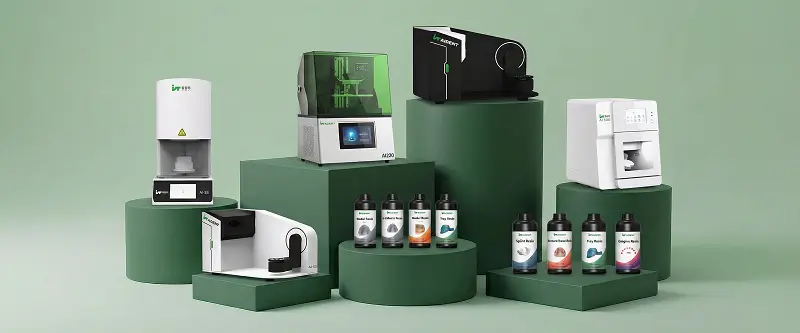
A complete dental 3D printing workflow has five core elements:
Software - design and slice the part
Resin - choose the correct material for the application
Printer - produce the geometry layer by layer
Washing - remove residual uncured resin
Curing - complete polymerization and finalize strength/stability
If any stage is weak, the final model, guide, temporary, or appliance will be inconsistent.
1. Full Workflow at a Glance
| Stage | Main Task | Output |
|---|---|---|
| Software (CAD) | Design the dental part | Printable STL |
| Software (Slicer) | Orient, support, nest, apply profile | Sliced print job |
| Resin | Select and prepare correct material | Ready resin in vat |
| Printer | Print the part | Raw printed object |
| Washing | Clean off uncured resin | Clean part |
| Drying | Remove solvent/moisture | Dry part |
| Curing | Final UV post-cure | Finished functional part |
| Inspection | Quality check | Approved dental product |
2. Software
CAD software
Used to design:
Dental models
Surgical guides
Temporary crowns and bridges
Night guards / splints
Denture components
Castable patterns
Slicer software
Used to:
Import STL files
Set orientation
Generate supports
Nest multiple parts
Apply resin-specific exposure profiles
Slice and send the job to the printer
Without both design software and slicer software, the printer cannot produce controlled dental parts.
3. Resin
Resin must match the application:
| Application | Resin Type |
|---|---|
| Models | Model resin |
| Surgical guides | Surgical guide resin |
| Temporary crowns/bridges | Temporary resin |
| Night guards / splints | Splint resin |
| Denture bases / try-ins | Denture / try-in resin |
| Castable patterns | Castable resin |
Also control:
Thorough mixing before use
Working temperature (often 23–30°C)
Correct validated print profile
Clean handling to avoid contamination
Wrong resin or wrong temperature is a common cause of failure.
4. Printer
Printer responsibilities:
Maintain correct leveling / build plate readiness
Run the selected profile accurately
Maintain stable environment and motion
Protect the release film (FEP/PFA) condition
Deliver consistent layer exposure and lift control
Pre-print checks:
Plate ready
Resin mixed and at temperature
Film clean and undamaged
Correct profile selected
Nesting and supports reviewed
5. Washing
Washing removes uncured resin from the surface and from detailed areas.
Best practices:
Use clean solvent (often IPA, or resin-specified cleaner)
Wash for the recommended time - not excessively
Use fresh solvent when contaminated
Clean internal channels, holes, and undercuts thoroughly
Avoid over-soaking, which can soften or swell some resins
Incomplete washing leaves sticky residue and reduces final quality.
6. Drying
Drying is often underestimated.
Remove pooled solvent with compressed air or adequate air-dry time
Ensure the part is fully dry before post-curing
Residual solvent can block complete polymerization and damage surface quality
Do not place wet parts directly into the curing chamber.
7. Curing (Post-Curing)
Post-curing completes polymerization and determines final properties:
Strength
Hardness / toughness
Dimensional stability
Reduced residual monomer
Suitability for biocompatible applications
Key controls:
Correct UV wavelength
Validated cure time
Temperature if required by the resin
Even exposure
Resin-specific protocol (models vs guides vs temporaries are not identical)
Printing creates shape. Post-curing creates final material performance.
8. Recommended End-to-End Sequence
Scan / import case data
Design in CAD
Export STL
Slice with correct resin profile
Prepare printer and conditioned resin
Remove from build plate
Wash thoroughly
Dry completely
Post-cure fully
Remove supports (at the stage recommended for that resin/process)
Finish and inspect
Approve for laboratory or clinical use
9. Common Failure Points in the Chain
| Stage | Common Mistake | Result |
|---|---|---|
| Software | Bad orientation / weak supports | Mid-print failure or deformation |
| Resin | Wrong material or cold resin | Inaccuracy, weak parts, failed adhesion |
| Printer | Poor leveling / damaged film | Incomplete or detached prints |
| Washing | Dirty solvent or under-washing | Tacky surface, poor cure |
| Drying | Curing while wet | Weak or defective final part |
| Curing | Too short / wrong protocol | Low strength, unstable dimensions |
10. FAQ
Q: What is the minimum system needed?
A: CAD software, slicer software, compatible dental resin, printer, wash process, and post-curing unit.
Q: Can I skip post-curing for models?
A: Not recommended. Models also need proper curing for hardness and stability.
Q: Is washing more important than curing?
A: Both are critical. Poor washing prevents proper curing; poor curing leaves weak parts.
Q: Can one workflow handle all dental products?
A: The sequence is similar, but resin choice, profiles, and cure settings must change by application.
Q: Where do most quality problems originate?
A: Incorrect resin choice, temperature issues, weak supports, incomplete washing, or incomplete post-curing.
Summary
A reliable dental 3D printing workflow depends on five connected elements:
Software to design and prepare the job
Resin matched to the application
Printer running stable, validated settings
Washing to remove residual resin
Curing to finalize strength, stability, and usability
Control all five stages, and print quality becomes predictable. Neglect one stage, and failures increase quickly.